
Shopify Free Theme Customization: A Complete 2026 Guide to Make Your Store Look Truly Unique
 Deepak Kharware
Introduction: Why Free Shopify Themes Are More Powerful Than Ever
Many Shopify beginners believe that a paid theme is required to look professional.
In reality, this belief is outdated.
In 2026, Shopify free themes like Dawn, Sense, Refresh, and Craft are built on:
-
Online Store 2.0 architecture
-
Section-based layouts
-
High performance standards
-
Accessibility best practices
What makes most stores look “cheap” is not the theme — it is poor customization strategy.
This guide will show you how real brands customize free Shopify themes to:
-
Look premium
-
Build trust
-
Improve conversions
-
Pass Google AdSense review
-
Stand out without paid themes
This is not a surface-level tutorial.
This is a design + UX + branding blueprint.
1. Understanding Shopify Free Themes (Before You Customize)
Before touching colors or fonts, you must understand how Shopify free themes are built.
Shopify free themes follow three core principles:
-
Speed first – minimal scripts and lightweight CSS
-
Mobile-first UX – over 70% traffic is mobile
-
Section-driven design – no heavy coding needed
This means your goal is not to redesign everything, but to re-arrange, refine, and enhance what already exists.
Mistake most beginners make:
They try to force a free theme to behave like a paid theme.
Correct approach:
Use the free theme’s strengths and enhance them with smart customization.
2. Brand Identity Comes Before Theme Customization
A store without brand clarity will never look unique, no matter how much you customize.
Before editing your theme, define:
-
Brand personality (minimal, bold, friendly, premium)
-
Target audience (age, profession, problem)
-
Emotional tone (trust, excitement, calm, authority)
Why This Matters
Every design decision — colors, fonts, spacing — should support your brand personality.
Example:
-
A wellness brand should feel calm and breathable
-
A tech brand should feel sharp and efficient
Without brand clarity, customization becomes random.
3. Homepage Customization: Designing for Flow, Not Decoration

The homepage is not a poster — it is a guided experience.
Hero Section Customization (Above the Fold)
Instead of:
“Welcome to our store”
Use:
A clear value proposition that answers why you exist
A strong hero section includes:
-
One clear headline
-
One supporting sentence
-
One primary CTA
-
One relevant image
Avoid:
-
Sliders with multiple messages
-
Auto-playing videos
-
Generic stock images
Section Order That Converts (Free Theme Friendly)
A proven homepage flow:
-
Hero (value statement)
-
Problem or pain point
-
Featured collection
-
Why choose us
-
Social proof
-
Educational content
-
Final CTA
This structure works even without custom code.
4. Typography Customization: The Most Underrated Upgrade
Fonts alone can change how expensive your store feels.
Shopify free themes allow:
-
Google Fonts integration
-
Heading/body font separation
-
Font weight control
Typography Best Practices (2026)
Use:
-
1 font for headings
-
1 font for body text
-
Clear hierarchy (H1 → H4)
Avoid:
-
Decorative fonts
-
Too many font styles
-
Low contrast text
Good typography improves:
-
Readability
-
Time on site
-
Trust
-
AdSense page quality
5. Color Customization: Build Emotion, Not Noise
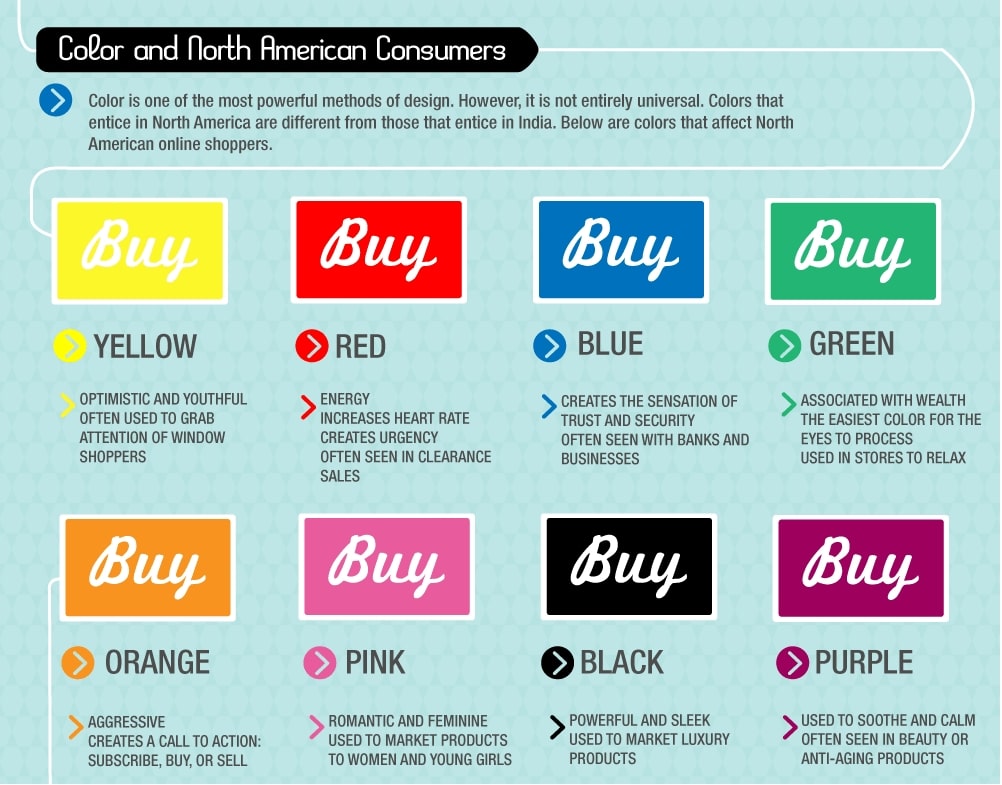
Colors influence buying decisions more than layouts.
Smart Color Strategy
Use:
-
1 primary brand color
-
1 secondary color
-
Neutral backgrounds
Apply colors consistently to:
-
Buttons
-
Links
-
Highlights
-
Icons
Mistake to avoid:
Using multiple bright colors “to look attractive”
Professional stores look calm, not loud.
6. Product Page Customization That Builds Trust

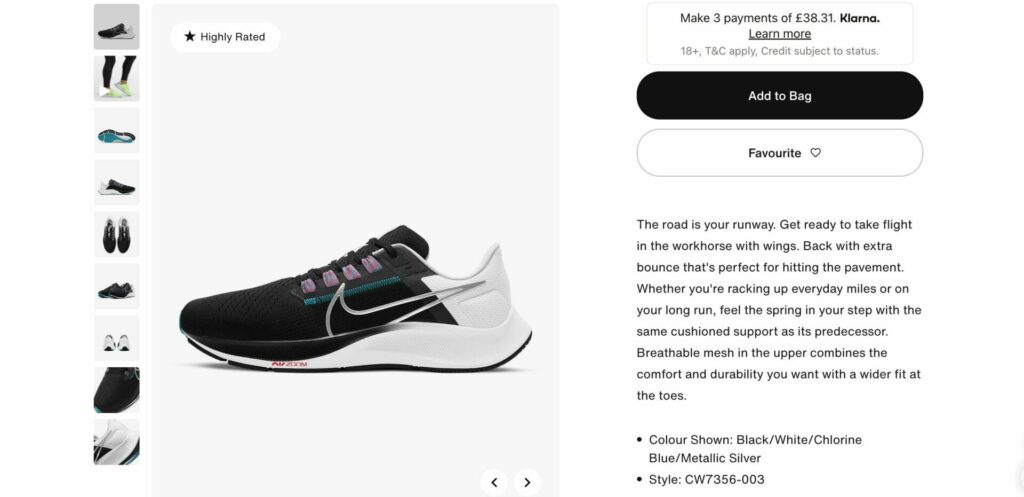
Product pages are where money is made.
Image Layout Customization
Even in free themes, you can:
-
Change image ratio
-
Enable zoom
-
Reorder media
-
Add lifestyle images
Images should:
-
Show context
-
Demonstrate usage
-
Reduce buyer doubts
Product Description Design (Not Just Text)
Instead of a long paragraph:
-
Break content into sections
-
Use icons (lightweight SVGs)
-
Add spacing
-
Highlight benefits
This improves:
-
Conversions
-
SEO
-
Accessibility
7. Navigation & Menu Customization for Better UX
Bad navigation kills sales.
Customize:
-
Header menu labels (human language)
-
Footer links (trust pages)
-
Mega menu (if supported)
Navigation should answer:
“Where am I, and where should I go next?”
Simple navigation = better Google evaluation.
8. Using Custom Sections Without Apps (Power Move)
Shopify Online Store 2.0 allows:
-
Custom liquid sections
-
Page-specific layouts
-
Reusable components
Examples:
-
Custom FAQ section
-
Comparison table
-
Feature highlights
-
Educational blocks
This is how free themes compete with paid ones.
9. Performance Optimization While Customizing
Customization should never slow your site.
Avoid:
-
Heavy animation apps
-
Multiple font files
-
Unused sections
-
Large uncompressed images
Use:
-
Shopify image optimization
-
Lazy loading
-
Minimal apps
Fast sites rank better and convert better.
10. Making Free Themes AdSense-Friendly
Google AdSense prefers:
-
Clean layouts
-
Readable content
-
Fast loading
-
Real information
Free themes are perfect for AdSense when:
-
Content is deep
-
Navigation is clear
-
Pages are well structured
Avoid:
-
Aggressive popups
-
Clickbait layouts
-
Thin pages
11. Common Customization Mistakes to Avoid
Most stores fail visually due to:
-
Over-customization
-
App dependency
-
No brand consistency
-
Ignoring mobile design
-
Copying competitors blindly
Uniqueness comes from clarity, not complexity.
Final Thoughts: Free Themes Are Not a Limitation
In 2026, Shopify free themes are:
-
Powerful
-
Flexible
-
Scalable
-
SEO-friendly
-
AdSense-ready
What makes a store unique is strategy, content, and clarity, not the price of a theme.
If you master free theme customization, you build:
-
Strong design foundation
-
Faster sites
-
Better conversions
-
Long-term scalability


