
Shopify Admin API: The Complete Beginner to Advanced Guide (2026)
 Deepak Kharware
The Shopify Admin API is the backbone of advanced Shopify development. In 2026, almost every serious Shopify app, automation workflow, analytics dashboard, and enterprise integration relies on the Admin API in some way. Yet for many beginners, it remains confusing, intimidating, and easy to misuse.
This guide is designed to remove that confusion. It explains what the Shopify Admin API is, how it works, when to use it, and how to move from beginner concepts to advanced real-world implementations—without breaking security rules or performance limits. Whether you are a store owner exploring custom automation or a developer building Shopify apps, this guide will give you a clear, future-proof understanding.
What Is the Shopify Admin API?
The Shopify Admin API allows secure programmatic access to a store’s backend data. It is the API used to manage products, orders, customers, inventory, discounts, fulfillments, metafields, and many other internal store resources.
Unlike customer-facing APIs, the Admin API is designed strictly for trusted environments, such as Shopify apps, private backend servers, and internal business tools. It gives you the power to read and modify store data at scale, which is why Shopify enforces strict authentication and permission rules around it.
Official documentation:
https://shopify.dev/docs/api/admin
Why the Admin API Matters More in 2026
Shopify stores in 2026 are no longer simple websites. They are connected to CRMs, ERPs, marketing platforms, analytics tools, AI systems, and fulfillment networks. Manual workflows cannot keep up with this complexity.
The Admin API enables:
-
Automation of repetitive tasks
-
Real-time data synchronization
-
Custom dashboards and reporting
-
AI-driven decision systems
-
Large-scale inventory and order management
As Shopify continues to push toward composable and headless commerce, the Admin API has become a core business infrastructure layer, not just a developer tool.
Admin API vs Storefront API (Quick Context)
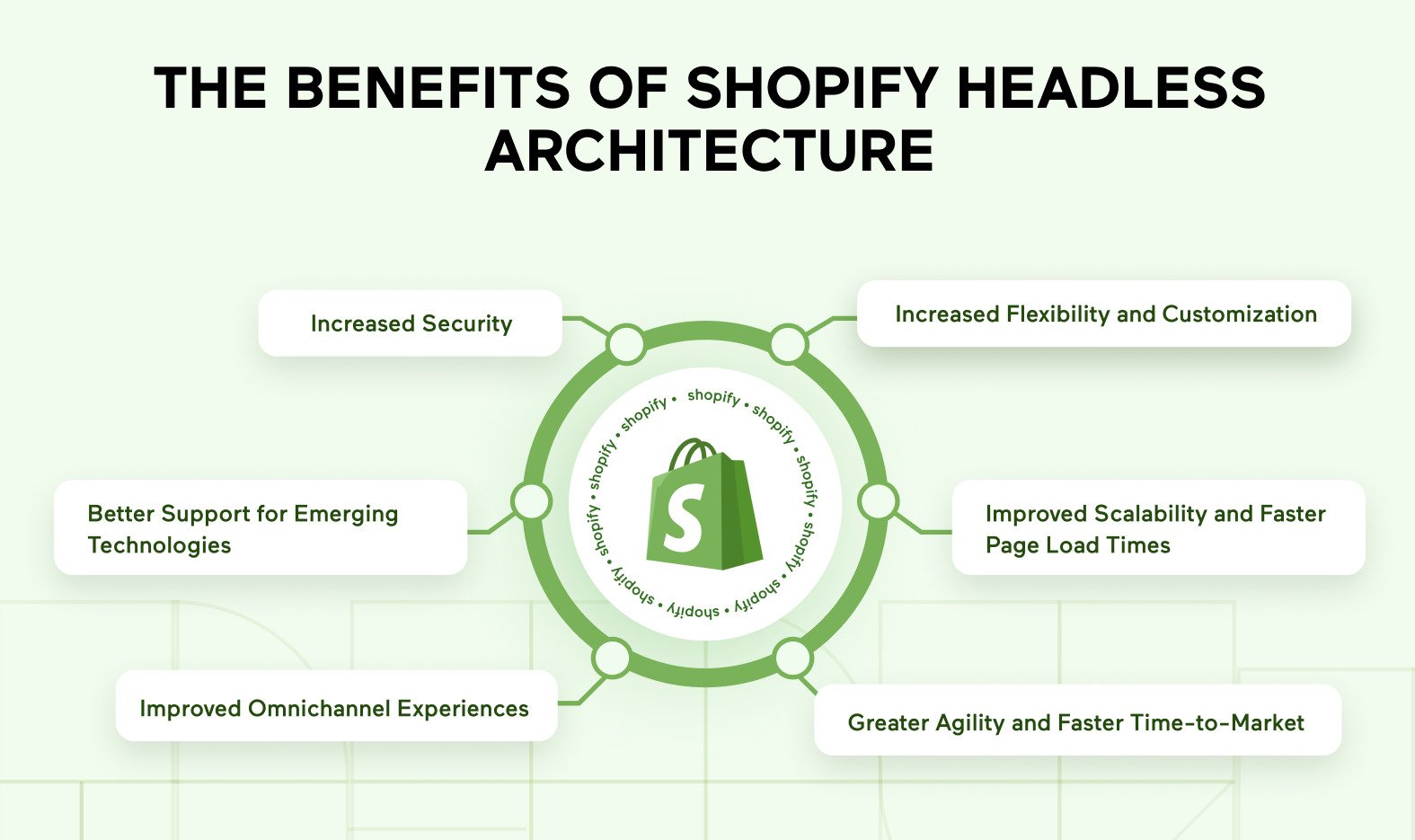
A common beginner mistake is confusing the Admin API with the Storefront API. The difference is purpose, not capability.
The Admin API is for store management and backend operations.
The Storefront API is for customer-facing experiences like browsing products and managing carts.
Shopify Admin API vs Storefront API – Which One Should You Use in 2026?
In 2026, Shopify is very strict about this separation. Admin API calls must never be exposed on the frontend.
How Shopify Admin API Authentication Works
Security is central to the Admin API. In 2026, Shopify requires apps and integrations to authenticate using OAuth tokens with clearly defined permission scopes.
Each API request is checked against:
-
The app’s identity
-
Approved permission scopes
-
Rate limits
-
Store access rules
This ensures that apps only access data they are explicitly allowed to use. It also protects merchants from accidental or malicious data exposure.
Authentication overview:
https://shopify.dev/docs/apps/auth
REST vs GraphQL Admin API (2026 Reality)
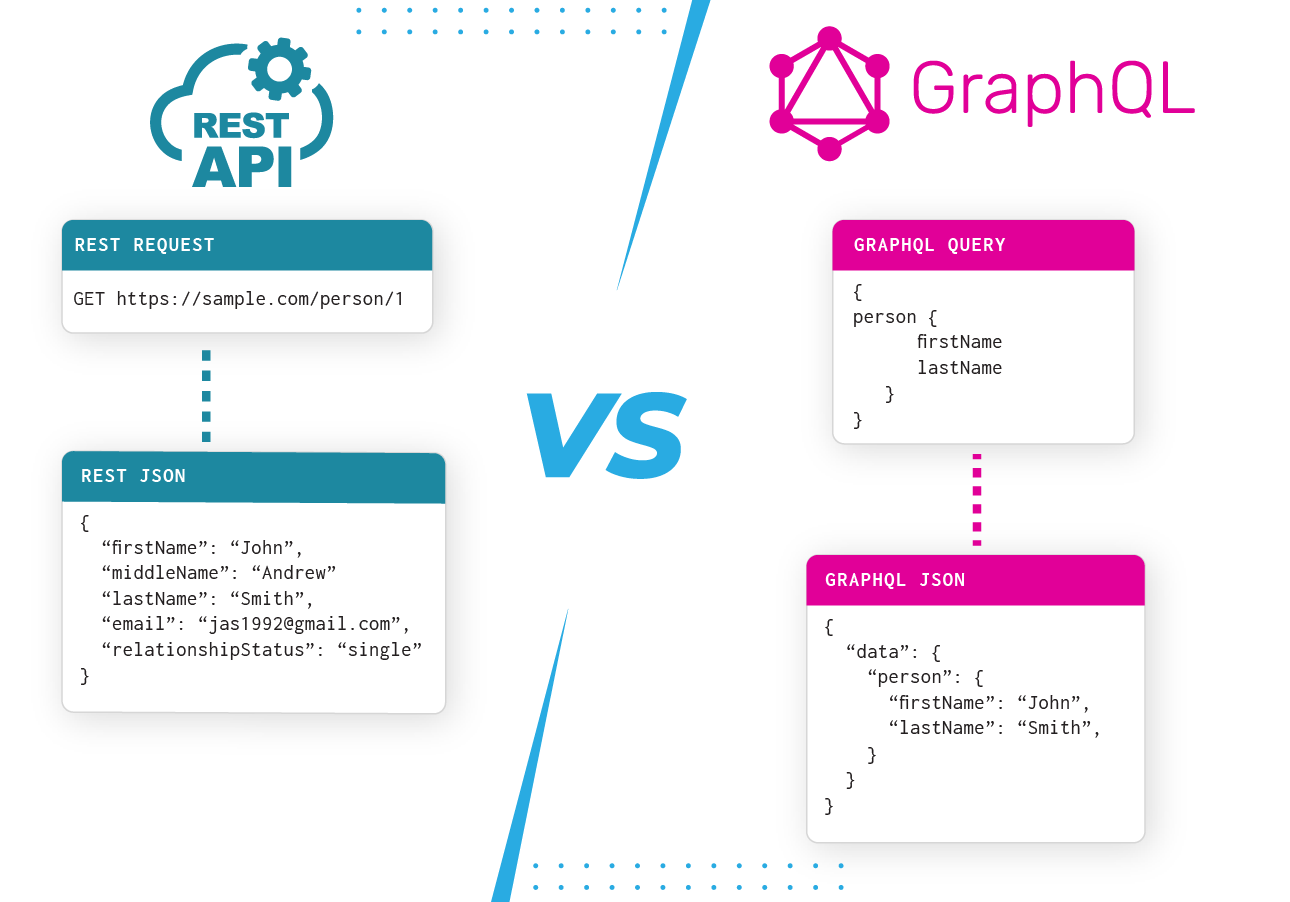
Shopify supports both REST and GraphQL Admin APIs, but GraphQL is the future.
In 2026, GraphQL is strongly recommended because it allows:
-
Fetching only required fields
-
Fewer API calls
-
Better performance
-
Smarter rate-limit usage
REST still exists for backward compatibility, but most new features and improvements are GraphQL-first
https://storedevguide.com/tutorials/shopify-api-guide.
GraphQL Admin API docs:
https://shopify.dev/docs/api/admin-graphql
What You Can Do With the Shopify Admin API
The Admin API allows deep control over store operations. It is commonly used to manage products, variants, pricing, inventory, and collections programmatically. It also powers order processing, fulfillment updates, refunds, and customer management.
Beyond core commerce, developers use it to manage metafields, custom data models, discounts, subscriptions, and analytics pipelines. In advanced setups, the Admin API becomes the single source of truth for business operations.
Beginner Use Cases (Where Most People Start)
Beginners usually start with simple automation. Examples include syncing products from an external system, exporting orders to accounting software, or updating inventory automatically.
At this stage, the focus should be on read-only operations first, understanding data structures, and respecting rate limits. Many early mistakes happen because beginners try to modify data before fully understanding its impact.
Intermediate Use Cases (Real Business Automation)
At the intermediate level, the Admin API is used to build internal tools. These include custom admin dashboards, order management panels, marketing automation workflows, and reporting systems.
This is where understanding webhooks becomes critical. Webhooks allow Shopify to notify your system when something changes, such as a new order or updated product, reducing unnecessary API polling.
Webhook guide:
https://shopify.dev/docs/apps/webhooks
Advanced Use Cases (Enterprise & AI-Driven Systems)

At the advanced level, the Admin API supports enterprise-grade systems. Large brands use it to power AI demand forecasting, personalized pricing logic, global inventory synchronization, and real-time analytics across multiple sales channels.
In 2026, many AI tools rely on the Admin API to analyze customer behavior, predict churn, and optimize operations automatically. At this level, architecture, caching, and data governance become as important as the API itself.
Rate Limits & Performance Best Practices
Shopify enforces rate limits to protect platform stability. Hitting rate limits is not a failure—it’s a signal that your architecture needs optimization.
Best practices include batching GraphQL queries, caching responses, using webhooks instead of polling, and avoiding unnecessary data requests. Efficient API usage leads to faster apps and better merchant trust.
Common Mistakes to Avoid in 2026
One of the most dangerous mistakes is exposing Admin API credentials in frontend code. This can lead to immediate security issues and app suspension.
Another common issue is requesting excessive permission scopes. Shopify reviewers now expect apps to follow the principle of least privilege.
Finally, many developers ignore API versioning. Shopify releases new API versions regularly, and failing to update can break functionality.
Versioning guide:
https://shopify.dev/docs/api/usage/versioning
How the Admin API Fits Into Modern Shopify Architecture
In modern Shopify projects, the Admin API works alongside the Storefront API, webhooks, Shopify Functions, and headless frameworks. Each component has a defined role, creating a clean and scalable system.
Understanding this ecosystem mindset is essential for long-term success on Shopify.
Final Thoughts
The Shopify Admin API is not just a technical feature—it is the operational engine behind modern Shopify businesses. In 2026, understanding it is a competitive advantage for developers and merchants alike.
When used correctly, it enables automation, scalability, and innovation without sacrificing security or stability. Mastering the Admin API means mastering Shopify itself.

